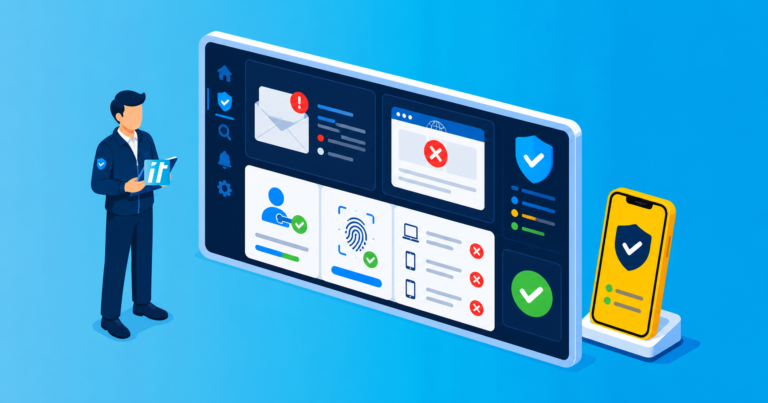
Anonymised ITFR client case study. The client name, user numbers and identifying details have been changed for confidentiality.
A specialist services company first engaged ITFR while it still relied on a local Exchange server and basic shared drives. Over the following years, it added interstate teams, more demanding customer contracts and strong demand for generative AI. Its technology needed to mature without forcing a complete redesign at every stage of growth.
Phase one: implement a scalable ITFR foundation
We migrated Exchange to Microsoft 365, moved personal work into OneDrive and created structured SharePoint and Teams workspaces. Entra ID became the control plane, with multi-factor authentication, Conditional Access, separate administration and consistent onboarding. Intune-managed devices, endpoint protection, monitored backups and the ITFR service stack created one supportable operating model.
CIS Controls and Microsoft security best practice guided the baseline, with priorities adjusted to the client’s information risk and operating model. The migration used pilots, mailbox coexistence and department waves. Staff retained familiar Outlook workflows while the business retired the local mail server and reduced dependence on one office.


Phase two: classify data before scaling access
Growth created more clients, external collaboration and regulated information. We worked with business owners to define Public, Internal, Confidential and Highly Confidential information using examples from real documents.
The labels were piloted with selected teams before broader publication, following Microsoft’s guidance to test terminology and policies with users. See Microsoft’s sensitivity-label guidance. Access reviews, retention decisions and external-sharing controls were added around the same information model.
Phase three: enable AI without opening every file
Teams wanted AI assistance for meeting summaries, first drafts and internal research. Before rollout, we used the existing Microsoft 365 and Purview controls to review overshared sites, stale permissions and sensitive-data locations. We separated approved enterprise AI use from consumer tools and documented where client information could and could not be processed.
Implementation methodology
- Review SharePoint, Teams and OneDrive access before licensing so Copilot would only surface information each pilot user was already authorised to access.
- Configure a Purview sensitivity-label framework with practical labels such as Internal and Confidential, then publish it to a pilot group.
- Apply labels and access controls to key SharePoint locations, including finance and people information, and remediate stale or excessive permissions.
- Configure baseline DLP policies for sensitive information and test expected prompts, restrictions and business exceptions.
- Assign Copilot licences only after validating Microsoft 365 application access, data sources and approved use cases for two representative pilot users.
- Run final pilot testing in Teams, Outlook, Word, PowerPoint and Excel, collect feedback and confirm human review requirements before wider enablement.
- Review new sharing risks after launch, use automatic labelling where licensing supports it and tune controls as information and use cases change.
The governance approach drew on Australia’s AI safety guidance: assign accountability, understand each use case, test controls, maintain human oversight and monitor outcomes. AI access began with selected low-risk sites, approved scenarios, user guidance and ongoing review rather than a tenant-wide switch.


The compounding benefit of an adaptable foundation
Because identity, device management, workspaces and data ownership were already structured, the business could add new offices and AI capabilities without starting again. Onboarding became repeatable, permissions were easier to review and regulated-client questionnaires could be answered with evidence rather than intention.
The client did not receive one large transformation and then stand still. It gained a roadmap that changed with user numbers, information risk and customer expectations. That reduced friction for users and made later controls less expensive to implement.