When “IT support” asks you to set up a passkey
You want to do the right thing. Someone says your account needs a security upgrade, the deadline is urgent and they can walk you through it. That helpful-sounding request is exactly why a setup scam can be convincing.
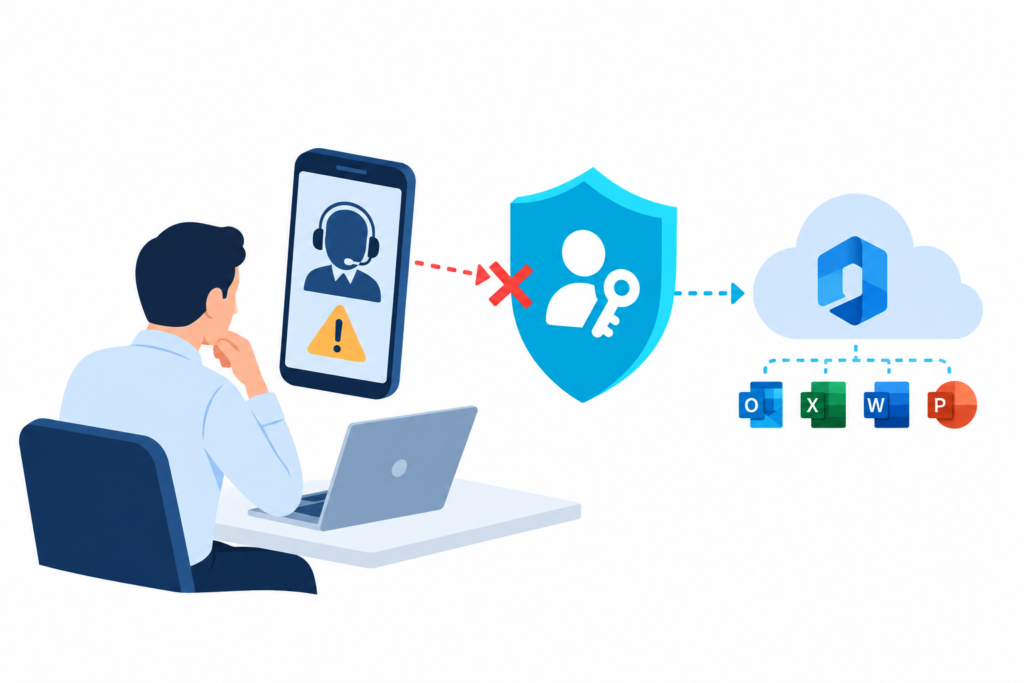
In its 9 September 2026 report, Microsoft described attackers using passkey enrolment as a pretext for identity compromise. Impersonated support, phishing pages and abused device-code authentication led to access that could be maintained through an attacker-added authentication method. Microsoft then observed Graph-based discovery and collection of SharePoint, OneDrive and, in some intrusions, Exchange data. These are linked stages, not proof that every victim experienced an identical sequence. Read Microsoft’s investigation.
The important distinction: passkeys are not the problem
Genuine passkeys remain phishing-resistant. Microsoft Entra supports authentication strengths that distinguish phishing-resistant methods from ordinary MFA. A familiar setup prompt is not evidence that the method is genuine or the request is authorised. Microsoft explains authentication strengths.
A real Microsoft page can still be part of the trick
Device-code authentication legitimately helps sign in devices with limited input. If someone else initiated the flow, entering their code can authorise a session you did not intend. Treat an unsolicited code request as a reason to stop, even if the sign-in page looks genuine. Microsoft recommends allowing this flow only where necessary. See device-code guidance.
For staff: end the unexpected call or conversation and contact IT through your established support number. Do not use the number or link supplied by the requester. Make this a normal part of security awareness training, not a test of who can spot the cleverest fake.

Make the safe path the easy path
“We have MFA” is a starting point, not the whole control design. The useful question is whether your tenant protects sign-in, registration and the data a signed-in account can reach.
1. Close unnecessary authentication routes
Review device-code use in sign-in logs, test a blocking policy in report-only mode and keep only documented business exceptions. Check legitimate shared-device workflows before enforcement. Authentication-transfer flows deserve their own review; a device-code rule is not a universal block on every sign-in method. Microsoft’s flow controls explain the distinction.
2. Protect enrolment as well as everyday access
Use Conditional Access policies targeting Register security information, with suitable authentication requirements and trusted conditions. Pilot the policy and plan how a new starter or a user who has lost a device can enrol safely. Protect emergency access from accidental lockout. Microsoft’s registration guidance provides the implementation starting point.
For privileged users and sensitive resources, require phishing-resistant authentication rather than assuming any MFA method provides the same protection. Conditional Access requires appropriate Entra licensing. These controls belong in an identity and access security review, not an untested tenant-wide switch.
3. Join the signals together
Monitor unusual sign-ins alongside new authentication methods, broad Microsoft Graph discovery and abnormal file or mailbox access. A single API request or download is not automatically malicious; the sequence and user context matter. Microsoft’s investigation includes detection guidance. Check which logs and detections your licences actually provide.
Already followed an unexpected setup request?
Report it immediately and preserve the message, URL, code and approximate time. Your response team should investigate the identity and affected services, revoke access as appropriate and check for unauthorised methods or other persistence. Revocation is not necessarily instantaneous across every application. Microsoft documents the limits.
Our earlier phishing-response case study explains why calling for help promptly matters. For an active concern, use your established support route or our incident response service.

Concerned about Microsoft 365 identity security?
IT First Responder can review your Entra ID, Conditional Access, MFA enrolment controls and cloud security monitoring. Explore our Microsoft 365 Cloud Security services or talk to us about your environment.